Turn your Notion projects into a portfolio website
Turn your Notion projects into a portfolio website with case studies, a free database starter and your own domain. Start free, refine the design with AI.
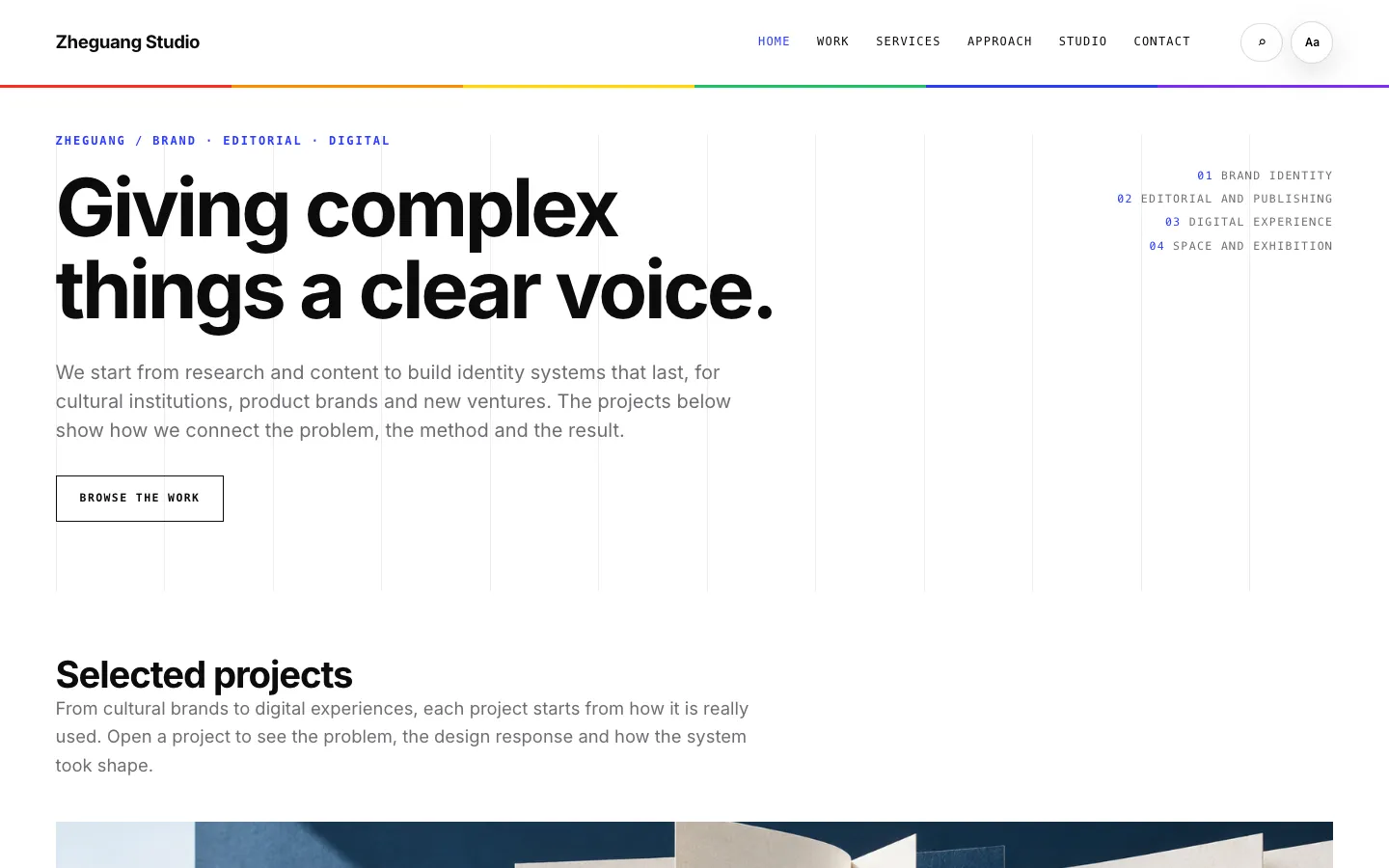
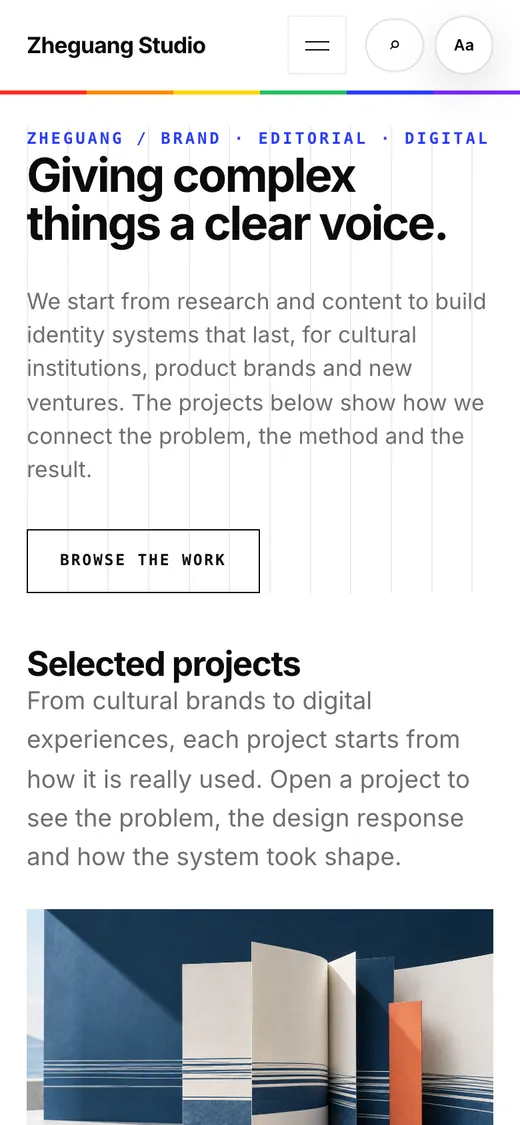
A design studio's site on a strict Swiss grid, with a thin spectrum line as its signature. Large numbered covers lead into each project, and every project reads as a case study with its details set beside the text.
An image-led project archive with numbered covers
Case studies with project details beside the text
Services, approach, studio and contact pages
A spectrum line under the header and above the footer
Import the starter into Notion: one row per project with Name, Slug, Summary, Published date, Tags and Status, and the page cover as the lead image.
02
Connect it and sync only what’s ready
Let Newmade read the database, map the fields and add the filter rule “Status is Published”.
03
Start from Field Archive
During setup, preview Field Archive on your own projects in one click, then change one thing at a time in Theme studio.
04
Publish, then add your domain
Check everything on a Newmade subdomain first. Custom domains start on Personal.
Case studies
One case study that explains your part
A gallery is for browsing; a case study explains the decisions. The starter’s article outline follows this order.
Identity · 2025Coastal identity
Context · Role
Coastal identity for a regional ferry line. I led the identity and wayfinding, with two designers.
Problem · Constraints
Five piers, three languages and signs that must read in fog at forty metres.
Process · Decisions
We tested six typefaces on the pier in bad weather and kept the one that survived.
Outcome
Shipped on all five piers in 2025. What I would do differently is written at the end.
The full guide
Every step in detail, with what to check before you share the site and when another tool fits better.
Make the portfolio answer a client's questions
A portfolio should help a visitor decide whether your work fits their project. Lead with a clear description of what you do, show a small selection of relevant work, and make contacting you straightforward. A large gallery is useful for browsing, but a case study explains the decisions behind the images.
Notion can remain the place where you collect project notes, drafts and images. Newmade turns the selected content into a website whose presentation you can adjust separately. Start with three strong projects and one short introduction, publish a coherent first version, then add work when it shows something new. Your navigation should explain the collection without making the visitor learn how your private workspace is organized.
Create a project database you can maintain
Download the starter files below and import the CSV into Notion as a database. Set the property types: Name as the title, Slug and Summary as text, Published date as a date, Tags as multi-select and Status as a select. Role and Category are optional fields for your own organization. Add a cover to each project page and paste the case-study outline into its body.
Newmade connects through Notion sign-in, so the database doesn't need to be public; it reads only the pages you share with it. In Field mapping, match Name, Slug, Published date, Summary and Tags. Then open Filter rules in the content source settings and add the rule “Status is Published”. Without a rule, every row syncs, including the sample Draft rows.
Switch one sample row to Published, run a sync and confirm that only that project appears. Keep sensitive client notes in pages you don't share with Newmade. Use short, descriptive slugs you can keep for years; if a project's title changes, its address can stay the same.
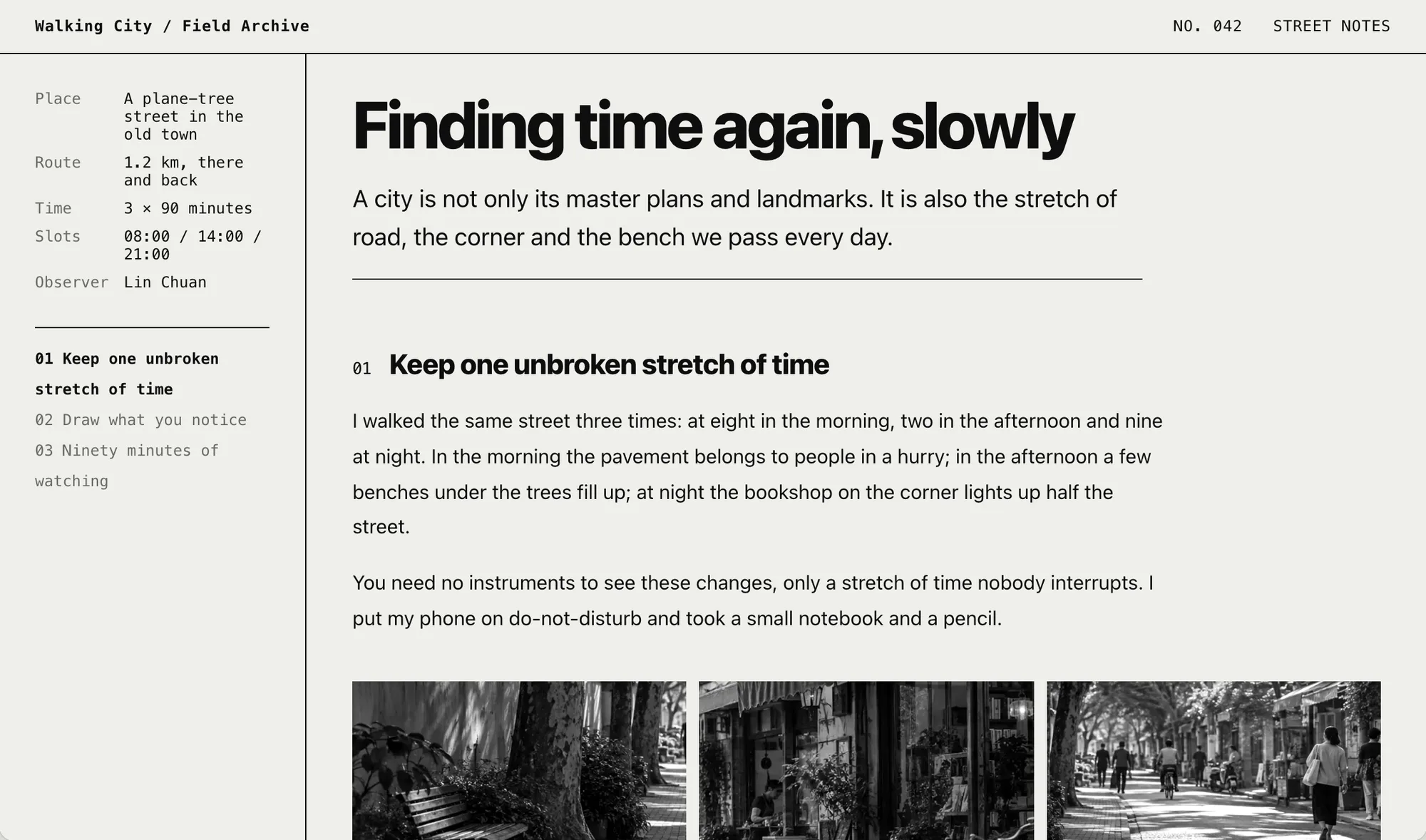
Field Archive, the starting theme suggested for this page. Change any part of it in Theme studio.
Write one case study that proves your contribution
Open with the project's context, your role and a representative image. Explain the initial problem, the constraints and the decision you made. Then show the work with captions that explain why each image matters. A useful sequence is brief, approach, selected outcomes and reflection, so a reader who only scans the headings still understands the project.
Describe results with evidence you can support. If you don't have reliable numbers, explain what was delivered and what you learned. Distinguish your own work from the team's and credit collaborators. End with a related project or a contact invitation. For confidential work, publish an approved summary, or password-protect the page on Personal and above.
Use Field Archive as a starting direction
Field Archive suits projects, photography series and work that benefits from visible context such as role, place and date. The Field Archive theme page has desktop and phone previews, the demo's component list and example change requests. Zheguang Studio, the example site on this page, shows a project archive with case studies as a published Newmade site; it is a Newmade sample, not a client site.
Start from Field Archive with the “Preview Field Archive with my content” button during setup, then change one thing at a time in Theme studio. Ask for a wider project image, a quieter header or a clearer split between project title and category. Say what should stay the same, such as your color palette. Preview your longest project title and a case study with portrait images before applying the version. Applying a built-in starting point doesn't use AI credits; conversational revisions do.
Connect, preview and publish
Create a workspace and site, connect the Notion database you shared and run the first sync. Check the synced projects in the content workspace: title, cover, path and publication state. Add an About page and a clear contact link, then organize the navigation around what a visitor wants to do: see the work, understand who you are and get in touch.
Apply the theme only after checking your own content. Publish on the Newmade subdomain and open it while signed out. Read the About page, follow a project from the homepage and return to the archive. Test the contact link on a phone, and remove placeholders before sharing the address.
Add a domain and useful page metadata
A custom domain is included from the Personal plan ($6 a month). Add the domain in the site's domain settings, create the DNS records shown for that site, and wait for verification and HTTPS before sharing the address. If you're moving from an older portfolio, keep the existing project paths and add redirects for any that change. Keep your previous DNS configuration until the new site has been checked.
Set a site description that names your discipline and the kind of work you do. Give important projects a descriptive SEO title, a short summary and a social image in their content settings, and avoid claiming outcomes the project doesn't show. These settings help previews and search results describe the page; they don't guarantee a ranking.
Review the portfolio at the size visitors use
Read the homepage and at least one complete case study on a narrow screen. Look for cropped titles, tiny captions, crowded navigation and images that hide important detail. Mix landscape and portrait photographs, and make sure contact and external links have clear labels. Reading a page from beginning to end often suggests a more useful design change than looking at the first screen.
After launch, use site analytics to see which work visitors open and how they reach the site. Ask questions you can act on: are people finding the project you want to emphasize, and is the contact link easy to reach? Review links now and then, and save a stable theme version before experimenting with a redesign.
A starter you can import into Notion
Download the database CSV, article outline and instructions. Import the CSV, choose property types and map supported fields in your content source. The sample rows are marked Draft: add the filter rule “Status is Published” to the content source so drafts stay private.
No. It's a downloadable CSV database and a Markdown case-study outline. Import them into your own Notion workspace, set the property types and map the supported fields when you connect. No shared template account is needed.
Can I publish a portfolio for free?
Yes, on a Newmade subdomain with the Newmade badge. A custom domain, password protection and badge removal start on the Personal plan at $6 a month.
Can I keep client notes private?
Yes. Newmade reads only the Notion pages you share with it, and filter rules decide which rows sync. Keep client notes in pages you don't share. Password protection on Personal and above limits who can open a published page, but it doesn't replace careful sharing.
Does Field Archive lock the design?
No. It's a starting point. Refine it in conversation, check desktop and phone previews, and apply a saved version when you're happy with it.